Portfolio Performance
Managing several brands makes it easy for one to slip. Roll up performance across your entire portfolio to see which brands are growing, which are stalling, and where two of your own brands might be competing against each other without you knowing.
Example Questions
- “What’s our overall account performance trend?”
- “Which brand in our portfolio is growing fastest, and why?”
- “Where should we reallocate investment across our brand portfolio?”
- “Across all our brands, which are growing slower than their category and losing share at the same time, flag those as at-risk.”
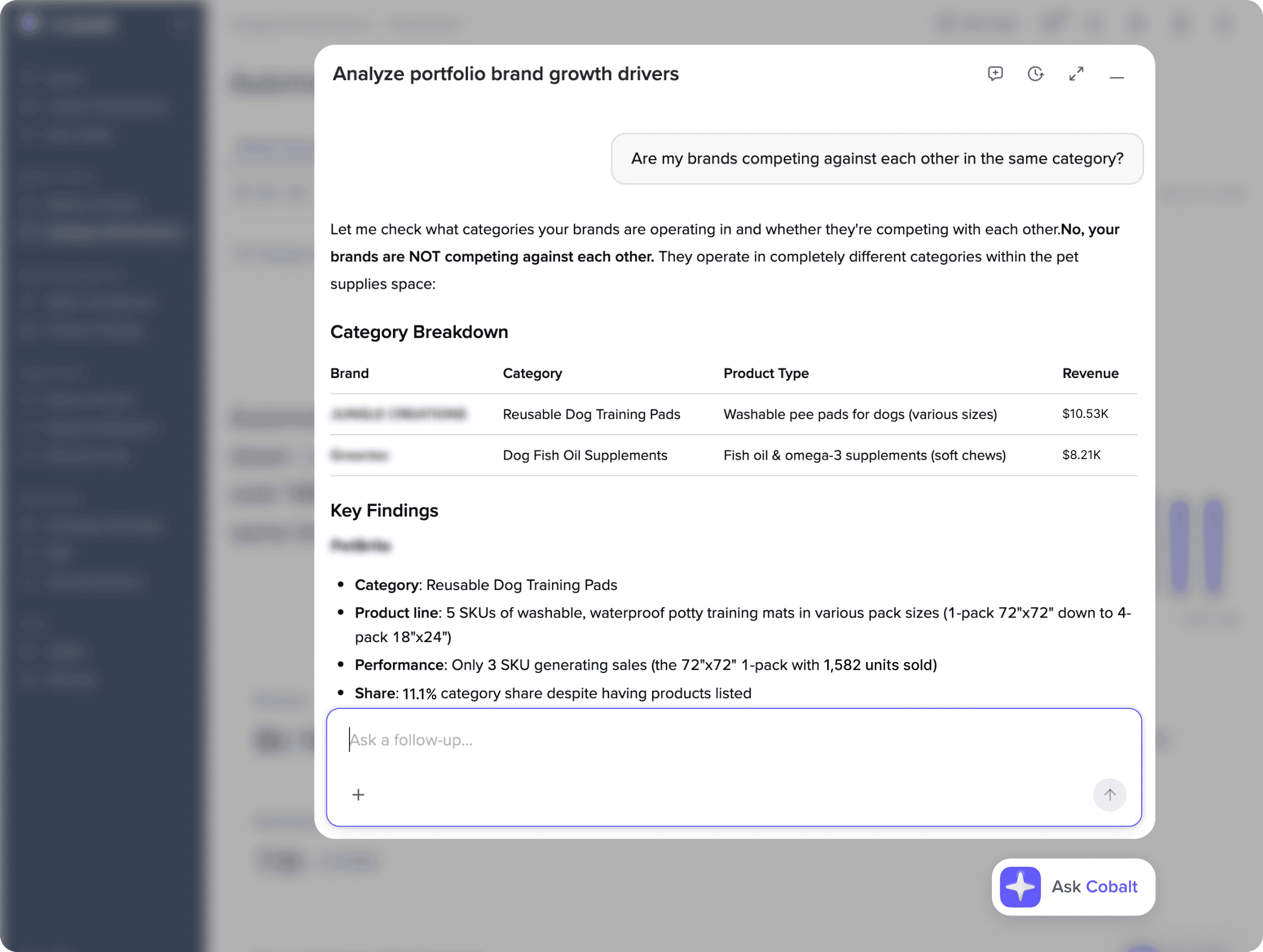
- “Identify any category where two of our own brands rank in the top 10, and estimate how much revenue we might be cannibalizing from ourselves.”
- “Rank our full portfolio by growth-adjusted revenue contribution and recommend where we should shift marketing investment next quarter.”
Frequently Asked Questions
Portfolio Performance rolls up Amazon results across every brand your organization manages. It shows which brands are growing, which are stalling, and where to shift investment, and it’s built for companies and agencies managing multiple brands.
It works with any number of brands. The cannibalization check, which looks for your own brands competing against each other, applies once you have two or more.
Both. It compares growth rates across your brands and measures each brand against its own category, so it can flag a brand that is growing slower than its category and losing share at the same time.
Yes. It finds categories where two or more of your brands rank near the top, and estimates how much revenue they may be taking from each other.
Consistency is read from the trend across the full reporting window, not a single period. A one-time spike or dip isn’t flagged as a pattern on its own.
