Which of your ASINs lost ground on Amazon last month? If the answer has to wait for your quarterly review, a competitor probably spotted it first.
Rank slides a few spots. A couple of low-star reviews land. Sales dip just enough to miss the target. None of it looks urgent on its own, but together those signals cost you search visibility, conversion, and shelf share well before they show up in a report.
Product Performance, one of Jungle Scout’s AI Solutions, catches those signals where they start: individual ASINs. It puts sales, ranking, and review trends side by side, so you can see which listings are slipping and why, while the fix is still simple. Drill into one product, or scan your whole portfolio to decide what needs attention first. Every answer is measured against the product’s own history or its category peers.
Questions you can ask about Amazon product performance
Ask in plain language, at any level of your portfolio:
- “Which of our SKUs are underperforming and need attention?”
- “Identify every SKU where sales are flat or declining and review volume and rating are also dropping.”
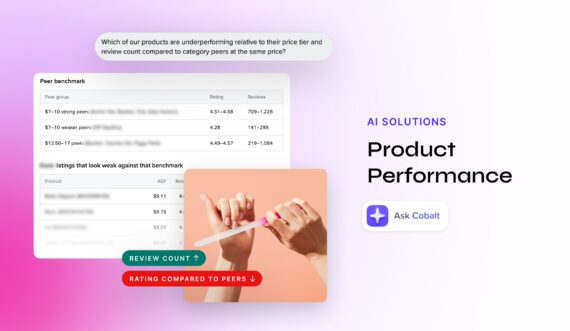
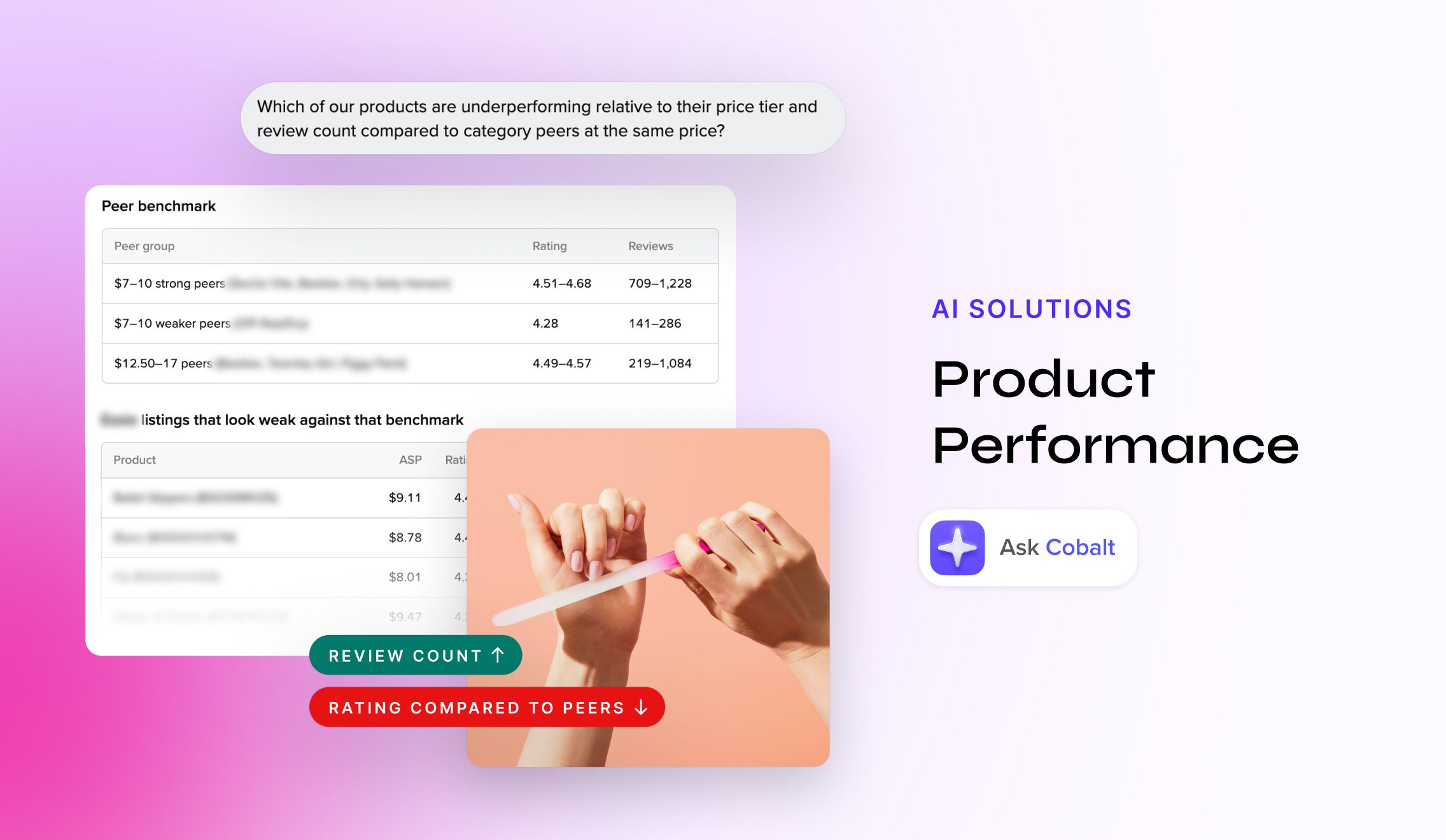
- “Which of our products are underperforming relative to their price tier and review count compared to category peers at the same price?”
- “What are customers saying about this product?”
- “Are my ratings trending up or down?”
- “Compare this product’s launch trajectory (first 90 days) to our previous version’s.”
A SKU gets flagged when sales decline, rank falls, or reviews trend negative compared with its history or its peers. For relaunches and refreshes, a version-over-version comparison shows whether the new listing is beating the one it replaced.
Which of your ASINs lost ground on Amazon last month? If the answer has to wait for your quarterly review, a competitor probably spotted it first.
Rank slides a few spots. A couple of low-star reviews land. Sales dip just enough to miss the target. None of it looks urgent on its own, but together those signals cost you search visibility, conversion, and shelf share well before they show up in a report.
Product Performance, one of Jungle Scout’s AI Solutions, catches those signals where they start: individual ASINs. It puts sales, ranking, and review trends side by side, so you can see which listings are slipping and why, while the fix is still simple. Drill into one product, or scan your whole portfolio to decide what needs attention first. Every answer is measured against the product’s own history or its category peers.
Questions you can ask about Amazon product performance
Ask in plain language, at any level of your portfolio:
- “Which of our ASINs are underperforming and need attention?”
- “Identify every ASIN where sales are flat or declining and review volume and rating are also dropping.”
- “Which of our products are underperforming relative to their price tier and review count compared to category peers at the same price?”
- “What are customers saying about this product?”
- “Are my ratings trending up or down?”
- “Compare this product’s launch trajectory (first 90 days) to our previous version’s.”
An ASIN gets flagged when sales decline, rank falls, or reviews trend negative compared with its history or its peers. For relaunches and refreshes, a version-over-version comparison shows whether the new listing is beating the one it replaced.
For a wider view, pair these insights with our guides to spotting brands that are quietly falling behind and benchmarking against competitors on Amazon.
What it looks like in practice
Say your team launched a product in the spring and wants a status check. You open Ask Cobalt, the AI assistant built into Jungle Scout Cobalt, and ask how it’s doing across sales and reviews.
The answer separates what’s working from what isn’t. Maybe the star rating is strong and the price is competitive, but monthly unit sales are low and reviews are thin. Those two gaps quietly cap search visibility and conversion.
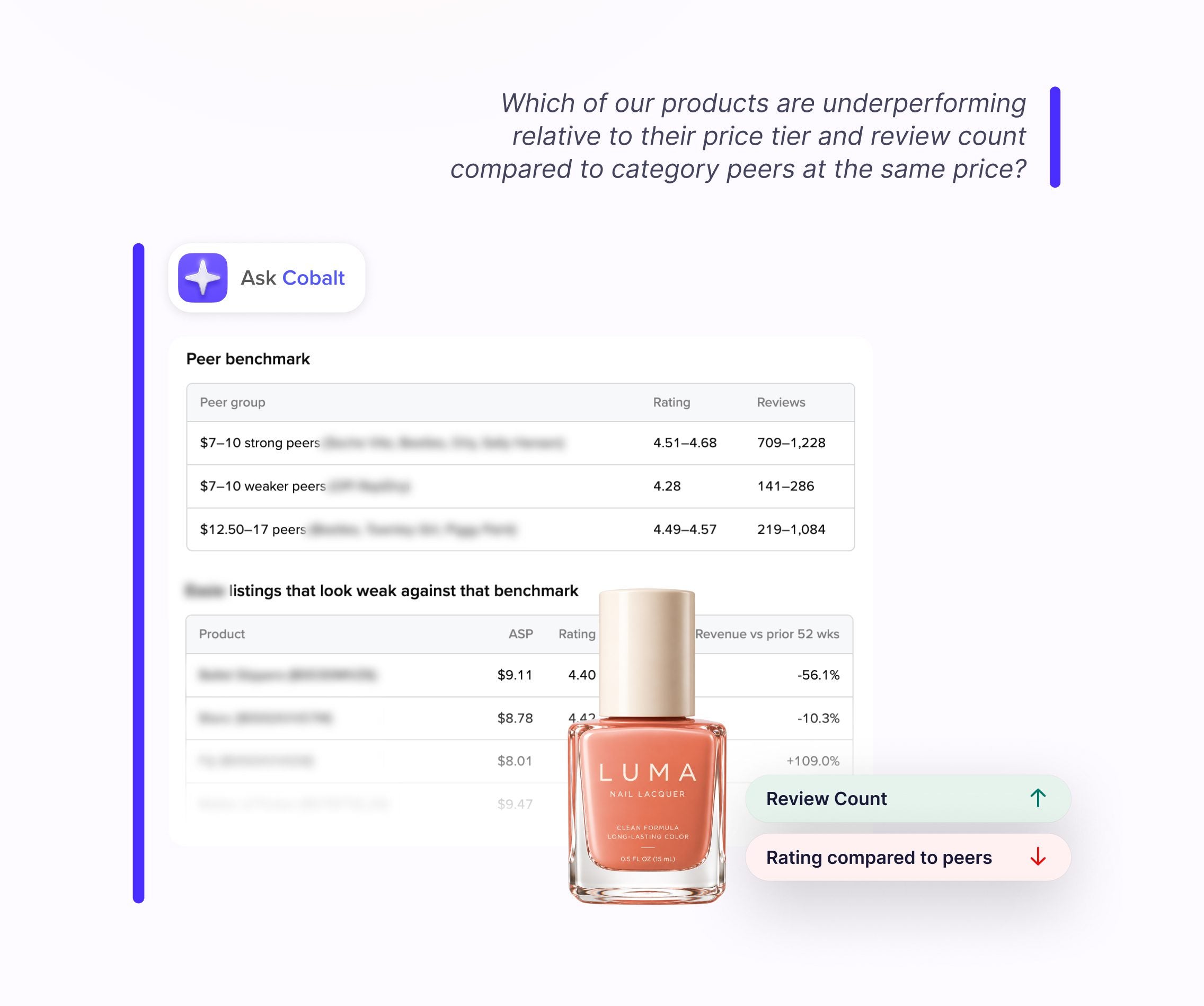
Ask Cobalt then suggests next steps, like building review volume with Amazon’s Request a Review button. From there, you can keep going: how does this listing stack up against category peers at the same price?
How to access these insights
Already a customer? Ask Cobalt is built into Jungle Scout Cobalt, so you can use it today with no separate AI tool to set up.
Not a customer yet? Book a demo to find the right AI Solution for your team.
Get a demo